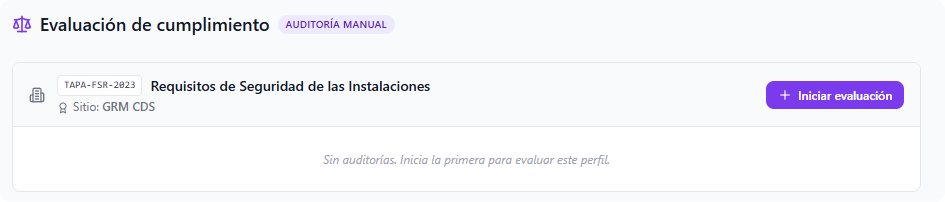
When starting a new assessment, the dynamic form previously structured in the profile is displayed:
-
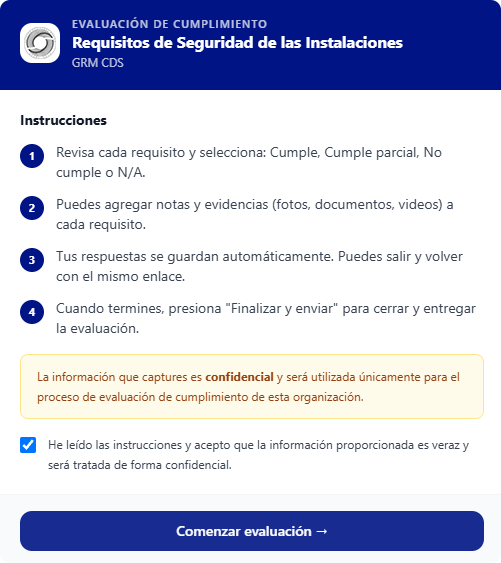
- Requirements Matrix: Each regulatory item requires a direct rating (Complies, Partially Complies, Does Not Comply, or N/A).

-
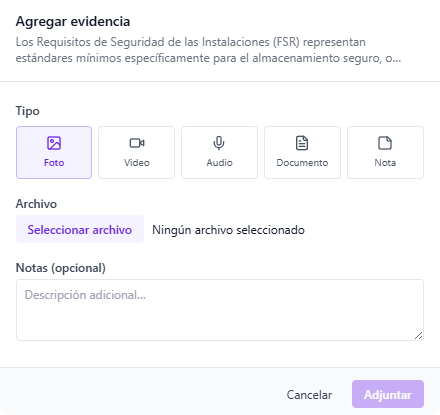
- Evidence Manager: Allows supporting each answer by attaching multimedia files directly to the requirement (photographs, videos, audios, or documents verified on site) complemented with technical notes.
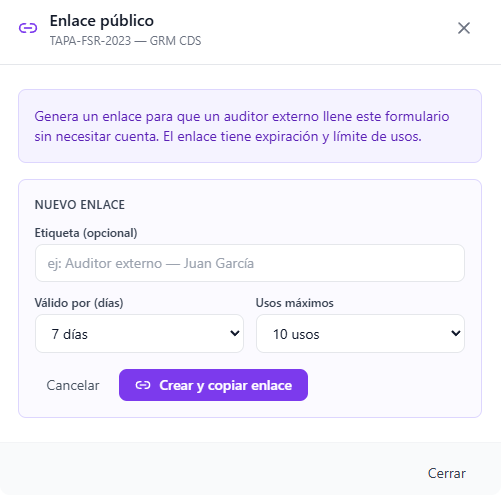
To facilitate third-party audits or the participation of personnel who do not belong to the organization, the platform allows securely delegating form completion:
- Temporary Link Generation: A public URL can be created (without requiring username or password) so an external auditor can execute the review.
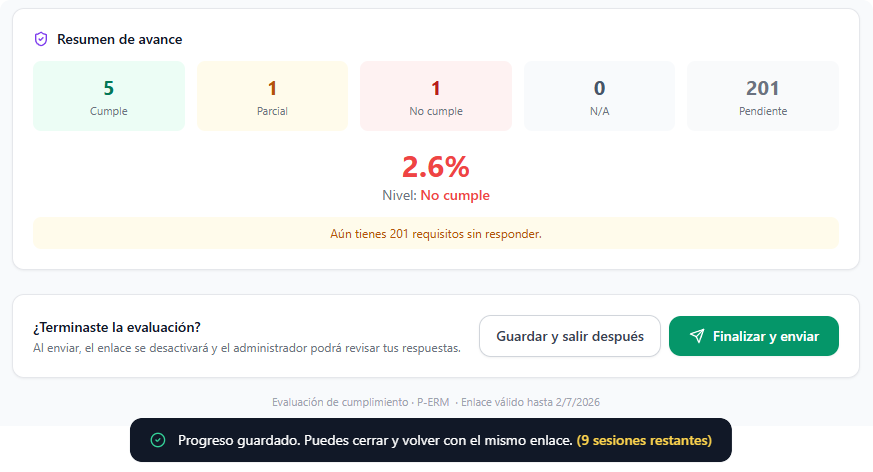
- Expiration Control: The link is protected by time-based expiration parameters (days of validity) and a strict limit on maximum allowed accesses or sessions. Upon completing and submitting the assessment from the external link, the URL is automatically deactivated and the internal administrator receives the consolidated results.
Audit Control Actions:
-
- PDF Report: Generates an immediate document output of the current form status.
- Save and Close: Pauses the audit, saving progress to continue the survey in a future session.
- Close Audit: Permanently locks the form, consolidating the final rating and concluding the assessment exercise.