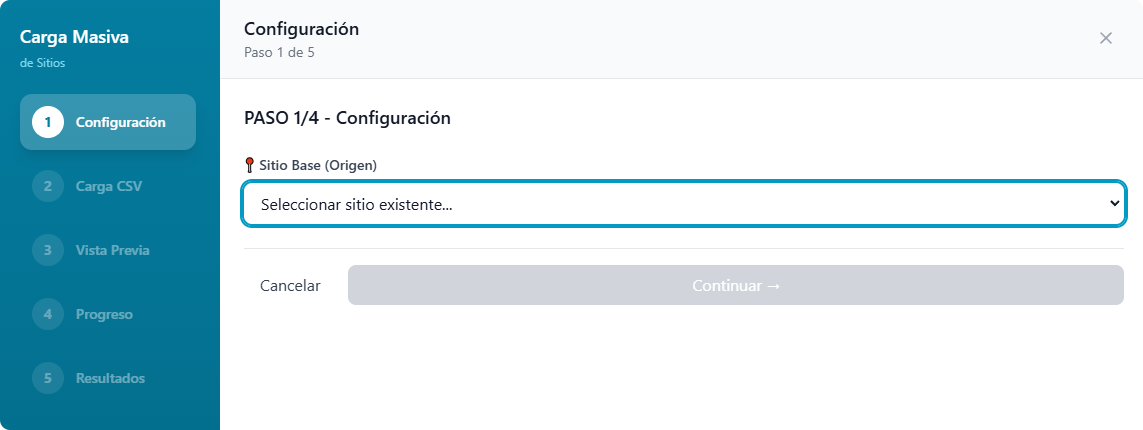
The Sites module allows registering the physical facilities or logical divisions that make up an Organization, establishing the base level for executing risk analyses.
Access and Navigation
To access site management, locate the horizontal ribbon of operational indicators below the main tabs (Home, Infographics, Analytics).
Click directly on the button for Sites.

The main interface features a search bar to locate facilities by name or location. The central panel displays the list of registered locations, showing structured information such as the site name, industry type, current risk classification, and a block of direct actions to edit or manage each record.
In the upper right corner, controls are arranged to toggle the directory display (between grid, list, or map format), as well as the main action buttons: + New Site and Bulk Upload.
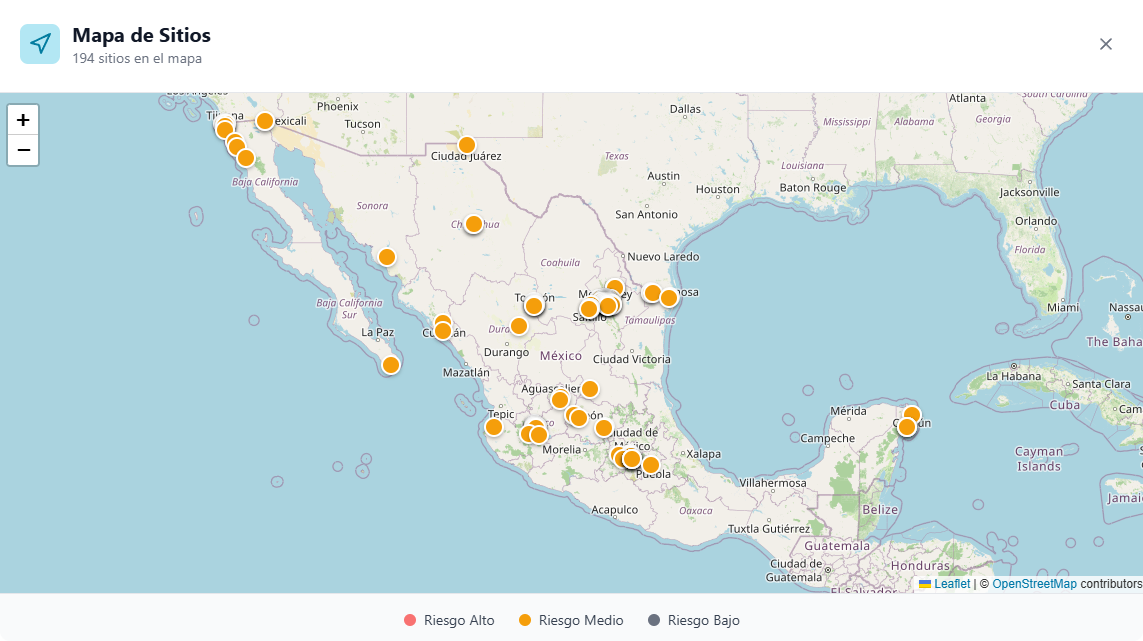
Sites Map View When selecting the map icon in the controls bar, the “Sites Map” pop-up window is displayed. This tool provides a geospatial representation of the facilities. Sites are displayed on the map using color markers indicating their current risk level, defined by the bottom legend: High Risk (red), Medium Risk (yellow), and Low Risk (gray).
Procedure for Registering a New Site
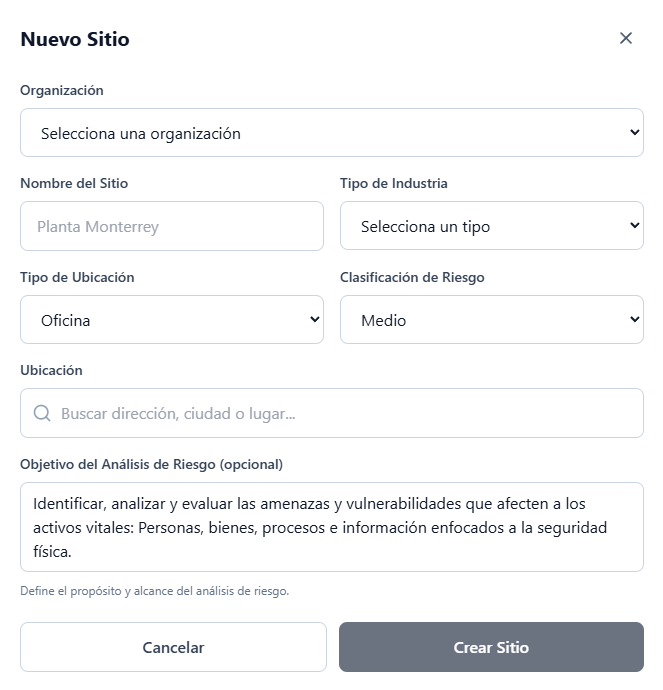
To register a new location, select the + New Site button. A centralized form will be enabled with the following configuration parameters:
- Organization: Dropdown menu to link the new site to a previously created corporate entity.
- Site Name: Text field for the official identifier of the facility (for example, a specific plant or corporate office).
- Industry Type: Selector to classify the site’s operational sector.
- Location Type: Menu to define the structural nature of the property (for example, “Office”).
- Risk Classification: Selector to establish an initial base risk level.
- Location: Smart search bar to enter the address or coordinates, facilitating the exact geolocation of the property on the map.
- Risk Analysis Objective (optional): Text field designed to define the scope of the project. The system provides standard wording focused on identifying and evaluating vulnerabilities over vital assets (people, goods, processes, and information) within the framework of physical security.
To complete the registration, click the Create Site button. If you need to cancel the operation, press the Cancel button to return to the main directory.